

Looking to redesign your home without hiring a costly interior designer? These top 5 AI interior design tools help homeowners across the US, UK, Canada, and Australia visualize room makeovers instantly—no design experience needed. Whether you’re renovating a small apartment in New York, refreshing a living room in London, or redecorating a home in Sydney, tools like HomeVisualizerAI, VisualizeAI, RoomsGPT, ArchiVinci, and ChatGPT make it easy to preview your dream space before spending a single dollar. Compare features and pricing and find the right AI design tool for your home—wherever you are in the world.
Redecorating a room is an act of pure imagination — until it isn’t. At some point, the mood boards and fabric swatches give way to a sobering question: will the design actually work in my space? For most of us, that question goes unanswered until after we’ve spent the money, moved the furniture, and lived with the regret.
AI interior design tools are quietly changing that. Upload a photo of your room and describe what you want, and within seconds you’re looking at a rendered version of your space—reimagined. After extensive hands-on testing, running identical prompts and real room photos through platform after platform, five tools stood clearly above the rest.
Here are the ones worth your time.
Home Visualizer AI — Best Overall
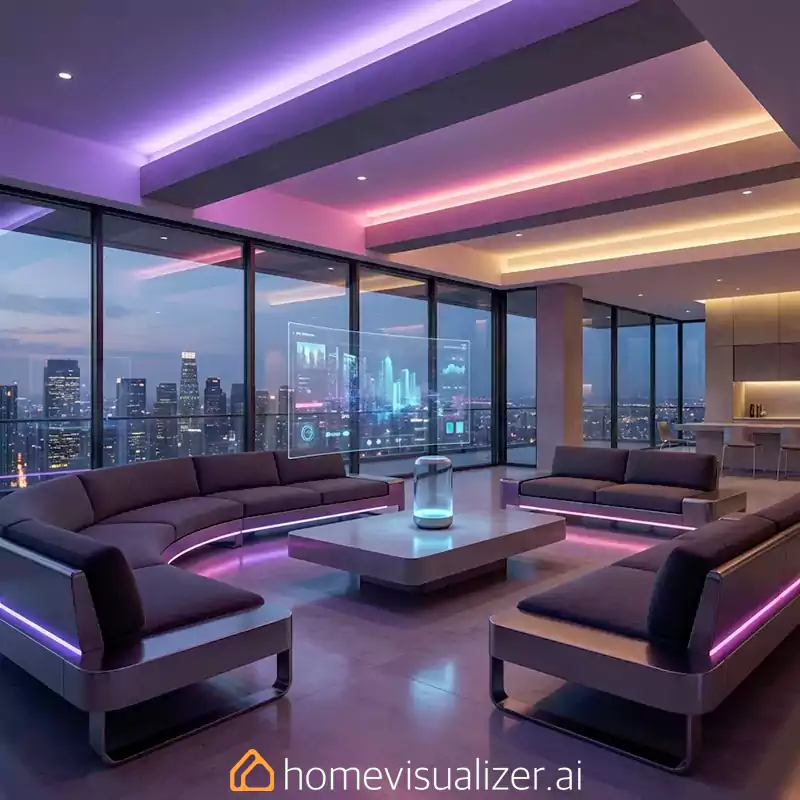
If you choose to try just one tool from this list, I recommend selecting Home Visualizer AI. Of everything I tested, this platform produced the most photorealistic, spatially accurate renders — the kind where you briefly forget the image was AI-generated.
The secret is in its layered input system. You don’t just upload a photo and hope for the best. Instead, you select a room category, pick a design style from a curated list, and then add freeform text instructions to fine-tune the result. That combination gives the AI enough context to work with while still leaving room for your specific preferences. When I asked it for a transitional kitchen with cream cabinetry and marble countertops, it returned something I would genuinely pin to an inspiration board—proportions intact, natural light respected, and surfaces rendered with convincing texture.
The standout feature is “style fusion,” which lets you feed the tool an aspirational reference image — a kitchen from a design magazine, say — and blend that aesthetic into a render of your actual room. Pair that with its Google Lens integration for finding shoppable products similar to what appears in your render, and you have something closer to a design pipeline than a novelty toy.
A few AI oddities crept in (one render featured what appeared to be a spontaneously open microwave door), but these were minor distractions from results that were otherwise impressive. Three renders are free; continued use costs $12/month.
Best for: Design-forward users who want the most realistic output and are comfortable crafting detailed prompts.
VisualizeAI — Best for Creative Control

VisualizeAI earns its spot through a feature no other tool on this list offers: the ability to tell the AI what to leave out.
Most design tools let you add elements to a rendered space. VisualizeAI goes further, letting you specify exclusions—no cabinet hardware, no overhead pendant, no stove in that corner. This exclusion feature alone makes VisualizeAI worth exploring for anyone who wants to design around certain features in a space rather than incorporating them. It’s also the only tool I tested that correctly identified a window at the far edge of my kitchen and preserved it accurately across multiple renders—a small but telling sign of stronger spatial intelligence.
Beyond the exclusion feature, VisualizeAI covers more ground than its competitors. In addition to interior design, it handles architectural visualizations and product design, so you could conceivably design a custom side table and then drop it into a render of your living room. The renders themselves skew slightly more stylized than HomeVisualizer—textures can occasionally feel artificial—but the level of control you get in return is a fair trade for serious designers.
The first three renders are free; it’s $19/month after that.
Best for: Power users, design students, and anyone who wants granular control over what appears (and what doesn’t) in their renders.
RoomsGPT — Best Free Option

RoomsGPT isn’t trying to be the most sophisticated tool in the room. It’s trying to be the most accessible—and it succeeds.
The interface is deliberately pared back: upload a photo, select a room type, choose a design style, and generate. No steep learning curve, no design vocabulary required. What makes it genuinely clever, though, is its roster of named designer inspirations. Instead of asking you to describe an aesthetic you may not have words for, RoomsGPT lets you choose designers like Nate Berkus, Joanna Gaines, or Bunny Williams as style anchors. If you know you love a designer’s work but couldn’t define it in a brief, this approach is an elegant workaround.
The results are variable—some renders are beautifully composed; others came back with blurred objects and a light fixture that bore an unfortunate resemblance to a wasp nest. But RoomsGPT is completely free with unlimited generations, which makes iteration painless. Run it five times, keep the best result, and use it as a conversation starter for your actual design direction. At zero cost, the occasional odd render is easy to forgive.
Best for: Beginners exploring which design styles resonate with them, with no financial commitment and no design knowledge required.
ArchiVinci — Best for Photorealistic Renders Without the Technical Complexity

ArchiVinci occupies an interesting middle ground: it delivers near-professional rendering quality without requiring any of the technical expertise that usually comes with that level of output. No CAD knowledge, no SketchUp experience, no 3D modeling background is needed.
Upload a photo of your existing space, a rough sketch on paper, or even a screenshot of a room you admire—ArchiVinci processes all three with equal confidence and returns photorealistic renders that could plausibly be mistaken for architectural photography. The platform is particularly strong at handling small, specific changes: swapping out a set of counter stools, testing a new tile backsplash, or previewing what a space looks like after knocking out a non-load-bearing wall. You don’t have to commit to a full room overhaul to get value from it.
For anyone who’s been paralyzed by a renovation decision—the person who needs to see the black island before they’ll sign off on it—ArchiVinci delivers that confirmation quickly and convincingly.
Best for: Commitment-phobes and renovation-wary homeowners who need visual proof before making design decisions; also ideal for anyone wanting professional-quality renders without a professional’s technical toolkit.
ChatGPT — Best Design Thinking Partner

ChatGPT doesn’t produce room renders, and that’s precisely what makes it useful in a different way from every other tool on this list.
While other platforms answer the question, “What would my room look like?” ChatGPT answers the earlier and often harder question: “What do I actually want?” Upload a photo of your space, and it can show you its architectural style and what styles will complement or clash with it. Ask it color pairing questions, furniture proportion questions, and layout questions. Use it to build a brief before you take that brief to a rendering tool.
What ChatGPT does particularly well is meeting you where you are. If you can describe a vibe but not a style name, it’ll help you land on the vocabulary. If you’re torn between two directions, it’ll lay out the trade-offs. Think of it less as a design tool and more as the knowledgeable friend who happens to have a solid grasp of interior design theory—available at any hour, endlessly patient, and genuinely useful in the fuzzy early stages of a project.
Best for: Anyone still in the exploration phase of a design project; also valuable as a first stop before using any of the rendering tools above.
How to Get the Most Out of Any AI Design Tool
The platform you choose matters less than how you use it. A few principles that held true across every tool I tested:
Arrive prepared: These tools perform better with accurate inputs. Before your session, pull together current photos of the space, rough measurements, and notes on existing furniture you’re keeping. The AI can only work with what you give it.
Invest in your prompts: Vague language produces generic results. “Modern kitchen” will get you something forgettable. “Modern Japanese kitchen with handleless lower cabinets in matte charcoal, open upper shelving in pale oak, and under-cabinet lighting” will get you something you can actually act on. Twenty minutes spent learning basic design vocabulary before you start will pay dividends in output quality.
Treat the first render as a draft: AI tools at this stage of development are excellent at getting you to 70% of your vision quickly and considerably less reliable at the final 30%. Use the first result to confirm a direction, then iterate, adjusting prompts, switching styles, and fine-tuning specifics until you arrive at something that genuinely reflects what you’re after.
Know where these tools end: None of the platforms on this list will hand you a complete design scheme with sourced products, contractor notes, and finish specifications. They are visualization tools, not design services. The further along a project gets—toward actual procurement, construction, and installation—the more a human professional becomes necessary.
The Bottom Line
The gap between “I think this project could look amazing” and “I can see that this looks amazing” used to cost thousands of dollars and several weeks of a designer’s time. These five tools have compressed that gap dramatically — and in some cases, they have closed it entirely.
Start free with RoomsGPT or ChatGPT to find your direction. Move to HomeVisualizerAI or VisualizeAI when you’re ready for renders you can really use. Reach for ArchiVinci when you need photorealistic confirmation before making a big commitment. And through it all, remember that these are tools to sharpen your instincts—not replace them.
The best version of your space still lives in your imagination. These tools just help you show it to someone else.
Frequently Asked Questions About AI Interior Design Tools
What are the best AI interior design tools available right now?
The top AI interior design tools currently available are HomeVisualizerAI, VisualizeAI, RoomsGPT, ArchiVinci, and ChatGPT. Each serves a different purpose — HomeVisualizerAI and ArchiVinci excel at photorealistic renders, VisualizeAI offers the most creative control, RoomsGPT is the best free option for beginners, and ChatGPT works best as a design thinking and ideation partner.
Can I use AI to redesign my room without any design experience?
Yes, absolutely. RoomsGPT and ArchiVinci specifically cater to users without a design background. You simply upload a photo of your existing room, select a style or describe what you want, and the AI generates a redesigned version of your space — no technical skills, CAD knowledge, or design vocabulary required.
Are there any free AI interior design tools worth using?
Yes. RoomsGPT is completely free with unlimited renders, making it the strongest no-cost option available. HomeVisualizerAI and VisualizeAI both offer three free renders before a paid subscription kicks in. ChatGPT’s free tier is also a solid starting point for brainstorming and early-stage design planning.
How accurate are AI-generated interior design renders?
Accuracy varies by tool and prompt quality. HomeVisualizerAI and ArchiVinci currently produce the most photorealistic and spatially accurate results. However, all AI tools can generate occasional quirks—misplaced objects, blurred details, or unrealistic proportions. Treat every render as a strong starting point rather than a final blueprint, and refine it through multiple iterations.
Which AI interior design tool is best for home renovation planning?
ArchiVinci is particularly well-suited for renovation planning because it handles specific, targeted changes—like previewing a new tile backsplash, swapping cabinetry color, or visualizing an open-plan layout—with near-professional photorealism. HomeVisualizerAI is also excellent for full-room renovation previews, especially when paired with its style fusion and Google Lens shopping features.
Can ChatGPT help with interior design?
Yes, though differently from rendering tools. ChatGPT works best in the early stages of a design project—helping you define your style, explore color palettes, understand design terminology, and think through layout decisions conversationally. It won’t generate room renders, but it’s an incredibly useful brainstorming partner before you move to a dedicated visualization tool.
How much do AI interior design tools cost?
Pricing varies across platforms. RoomsGPT is free. HomeVisualizerAI starts at $12/month after three free renders. VisualizeAI costs $19/month after the initial free renders. ArchiVinci and ChatGPT both offer free tiers with optional paid upgrades for advanced features and higher usage limits.
What should I do before using an AI interior design tool?
For the best results, come prepared with clear, current photos of your space, basic room measurements, and a rough idea of the style or mood you’re going for. The more specific your inputs and prompts are, the more accurate and useful your AI-generated render will be. Spending a few minutes learning basic design terms—like “transitional,” “biophilic,” or “Japandi”—can significantly improve your output quality.
Do AI interior design tools work for small apartments and rental spaces?
Yes. AI design tools are actually ideal for small apartments and rentals because they let you test major changes—like bold paint colors, new furniture layouts, or statement lighting—virtually before making any physical or financial commitment. This makes them especially valuable for renters who need to visualize impact without risking their security deposit.
Will AI interior design tools replace professional interior designers?
Not entirely. AI tools are powerful for visualization, inspiration, and early-stage planning, but they cannot replicate the full scope of a professional designer’s value—which includes spatial planning expertise, contractor coordination, product sourcing, and on-site problem-solving. Think of AI tools as a smart starting point that complements, rather than replaces, professional design services.